

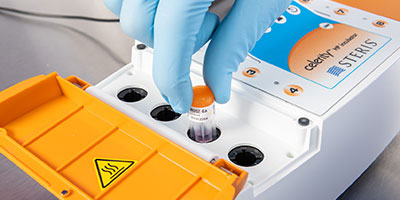
Celerity™ HP Incubator
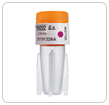
- Designed exclusively to incubate and read activated Celerity™ 20 HP Biological Indicators
- Provides a final readout within 20 minutes
- Audio and visual alarms for easy interpretation of results
Product Overview
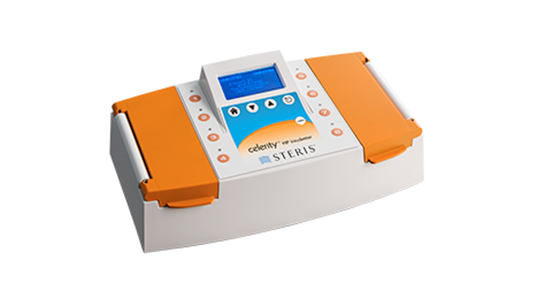
The Celerity HP Incubator is a compact, tabletop incubator designed specifically for use with the Celerity 20 HP Biological Indicator (BI). The Celerity HP Incubator heats the activated Celerity 20 HP Biological Indicator to temperatures which promote the germination, metabolism, and subsequent detection of viable test organisms under evaluation.
How the Celerity HP Incubator Works
The Incubator is designed to detect the presence or absence of a fluorescent signal upon incubation of the Celerity 20 HP Biological Indicator. Once initiated, each sample well will independently monitor and determine the result for an individual Biological Indicator within 20 minutes.
The incubator may be connected to an optional printer to manage record keeping.

Digital Data Management

ConnectAssure™ Technology – Digital Data Management for
V-PRO maX 2 Sterilizers and Celerity 20 HP Biological Incubators
Get immediate access to critical compliance data for your Sterile Processing Department when you harness the power of ConnectAssure Technology. The software provides an essential conduit connecting results from your V-PRO® maX 2 Sterilizer and Celerity™ HP 20 Biological Indicator Incubator directly to your facility tracking system.
- Immediate access to centralized and complete sterilization records
- Maximize productivity and make more informed reprocessing decisions through data analysis
- Stay compliant and keep your equipment at peak performance with regular testing and maintenance reminders
No tracking system? No problem. ConnectAssure Technology offers an easy-to-use interface providing all the benefits for those without a facility tracking system.
- Call us – Report an issue via a phone call at (855) 519-1955. If you leave a message, a new support ticket will automatically be created and escalated.
- Email us – Contact us via email. A new support ticket will automatically be created and escalated. Please provide detail.
- Login – Click here to access our ConnectAssure Support Portal. You can create or update a support ticket. You can also access our extensive Knowledge Base. ConnectAssure Support is available 8:00 am to 5:00 pm Eastern Time, Monday through Friday. The Toll-Free number can be called for After Hours and Weekend Emergencies. An emergency is defined as work stoppage due to application downtime where there is no workaround.
|
OPERATORS MANUAL
|
|
|---|---|
| Document # | Document Title |
| LCB046 CELERITY HP INCUBATOR - OPERATOR MANUAL | |

|
TECH DATA SHEET
|
|
|---|---|
| Document # | Document Title |
| CELERITY HP INCUBATOR LCB046-TECH DATA SHEET (EN) | |
|
WALL CHARTS
|
|
|---|---|
| Document # | Document Title |
| INCUBATOR QUICK REFERENCE GUIDE | |
|
SELL SHEET
|
|
|---|---|
| Document # | Document Title |
| CELERITY HP MULTIVARIABLE CI SELL SHEET (ENGLISH) | |
| CELERITY HP MULTIVARIABLE CI SELL SHEET (FRENCH) | |